> For the complete documentation index, see [llms.txt](https://nuflorist.gitbook.io/nuflorist/llms.txt). Markdown versions of documentation pages are available by appending `.md` to page URLs; this page is available as [Markdown](https://nuflorist.gitbook.io/nuflorist/addons/deleting-addons.md).
# Deleting addons
To delete add-on categories in NuFlorist, follow these steps:
## Select Add-on collection
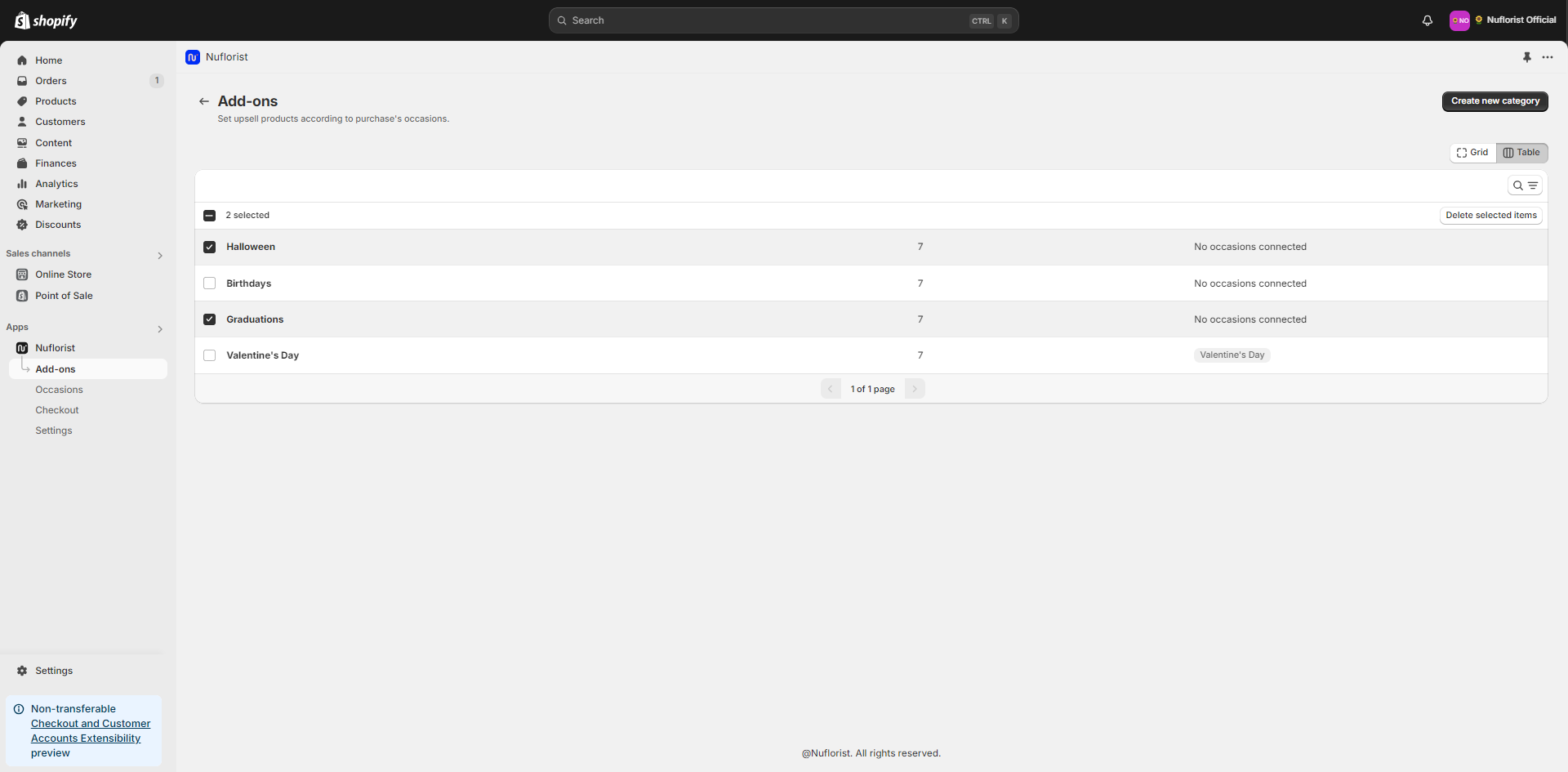
Go to addons and find the category you want to delete. You can scroll through the list or use the search function.
### Bulk Delete the Category
Check all categories you want to remove and click on “delete selected items” next to the search icon at the top of the table.
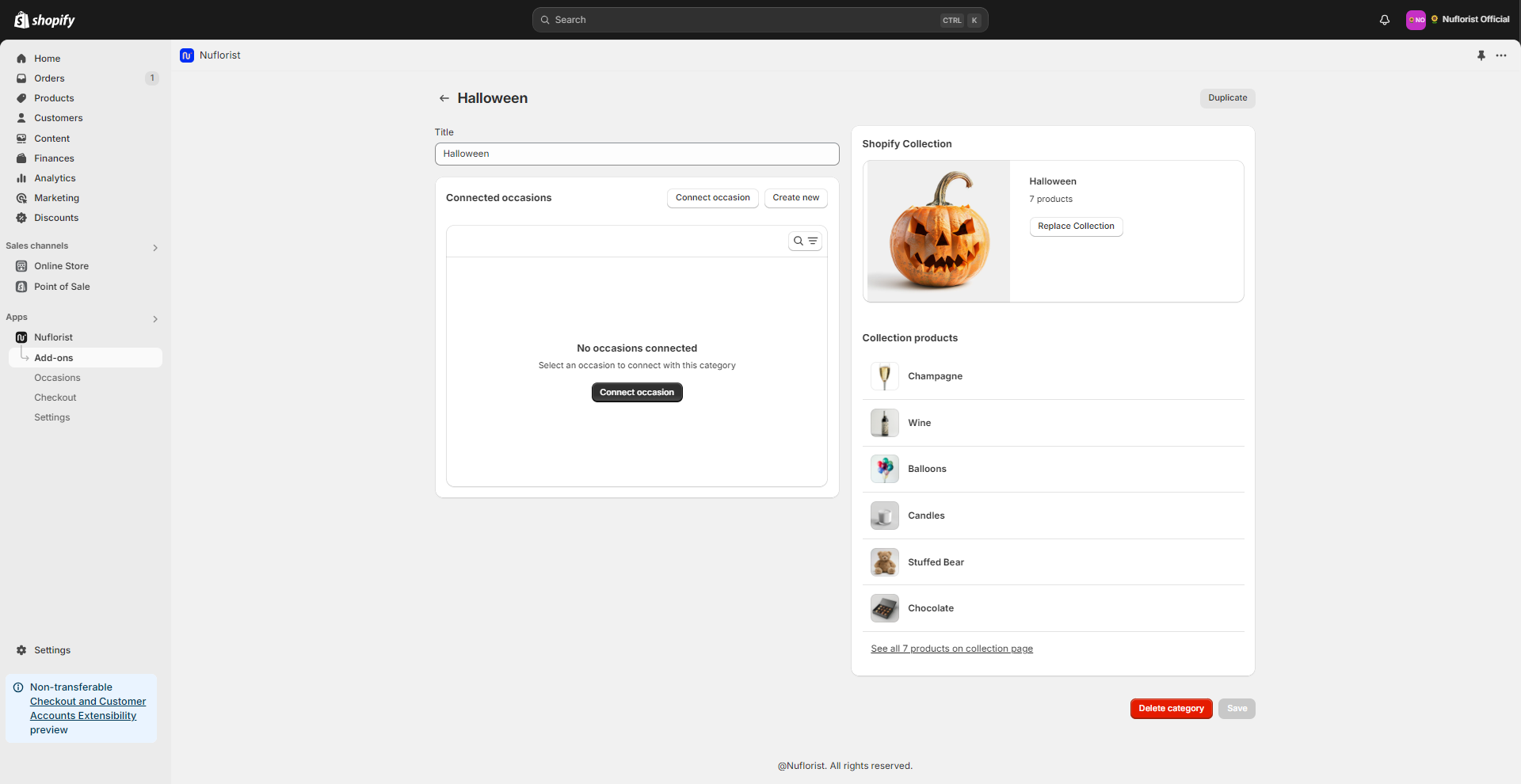
### Individually Delete the Category:
* Open the add-on category you want to remove and you’ll see a button at the bottom of the page called “Delete category”
* Confirm the deletion when prompted to ensure you don’t accidentally delete an important category.