> For the complete documentation index, see [llms.txt](https://nuflorist.gitbook.io/nuflorist/llms.txt). Markdown versions of documentation pages are available by appending `.md` to page URLs; this page is available as [Markdown](https://nuflorist.gitbook.io/nuflorist/addons/disconnect-occasions.md).
# Disconnect Occasions
To disconnect an occasion from an already created addons category in the NuFlorist app, follow these steps:
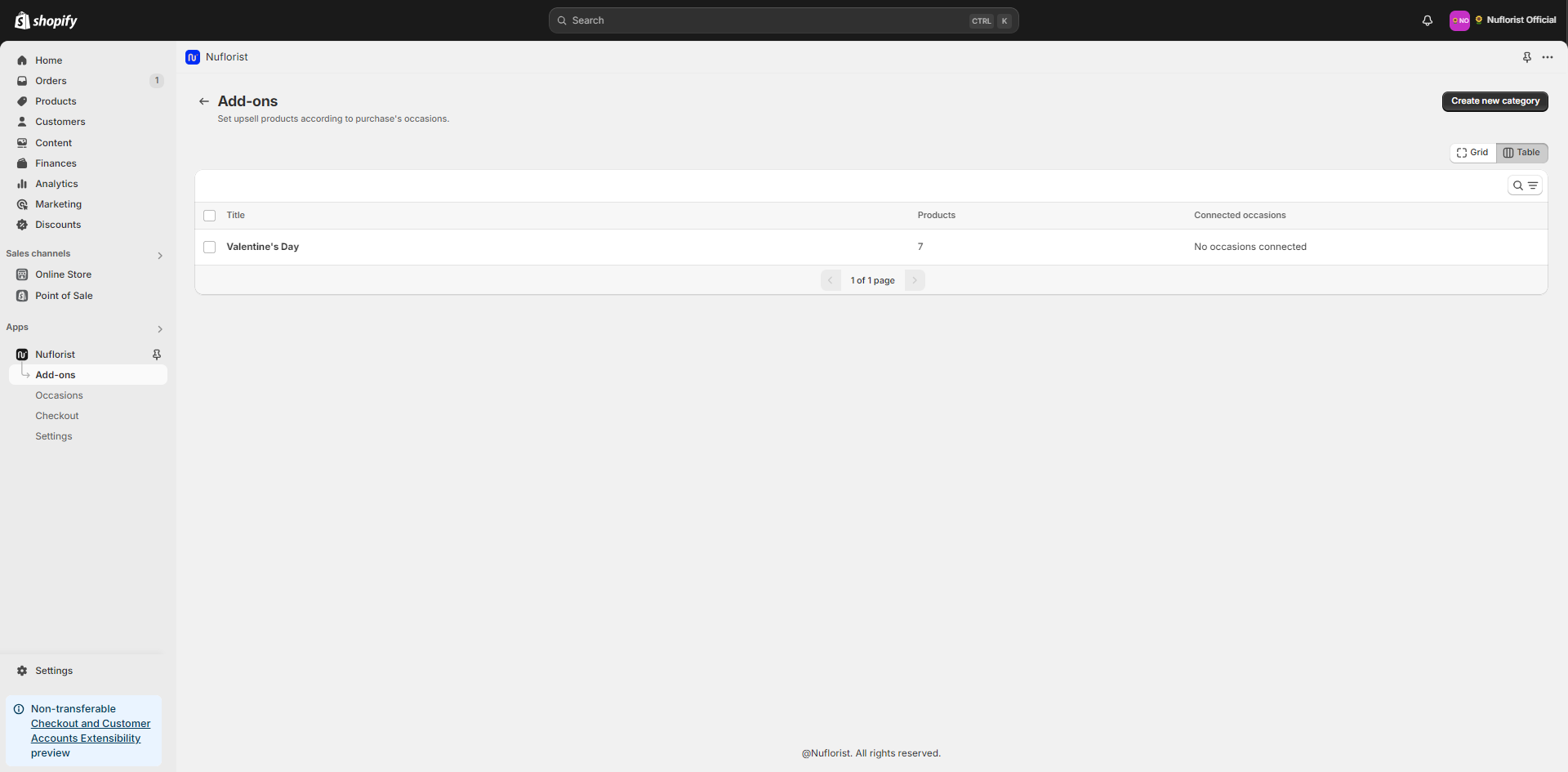
## Go to your created Addons Category
Find the addons category from which you want to disconnect the occasion. Click on it to open the details.
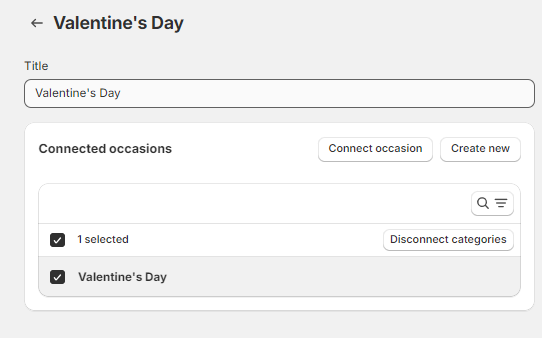
## Disconnect the Occasion
Find the specific occasion you want to disconnect and select it with the checkbox. Find the option “Disconnect categories” and click on this to disconnect the occasion from the addons category.
## Save Changes
After removing the occasion, make sure to save your changes to update the addons category settings.