> For the complete documentation index, see [llms.txt](https://nuflorist.gitbook.io/nuflorist/llms.txt). Markdown versions of documentation pages are available by appending `.md` to page URLs; this page is available as [Markdown](https://nuflorist.gitbook.io/nuflorist/mas-direct-pos/order-flow-from-shopify-to-mas.md).
# Order Flow from Shopify to MAS
{% hint style="info" %}
We are going to place a test order and check all the flow from Shopify to MAS.
{% endhint %}
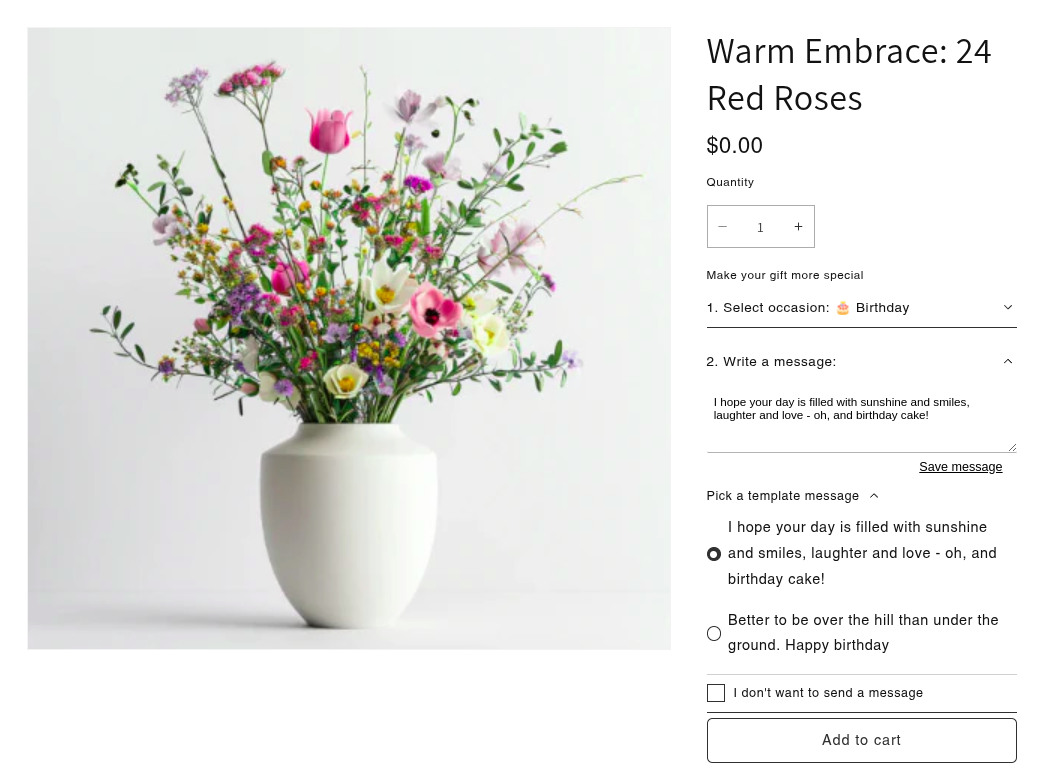
Let's select a product and use our product widget extension to select the following attributes:
* choose an occasion: Birthday
* select a Message
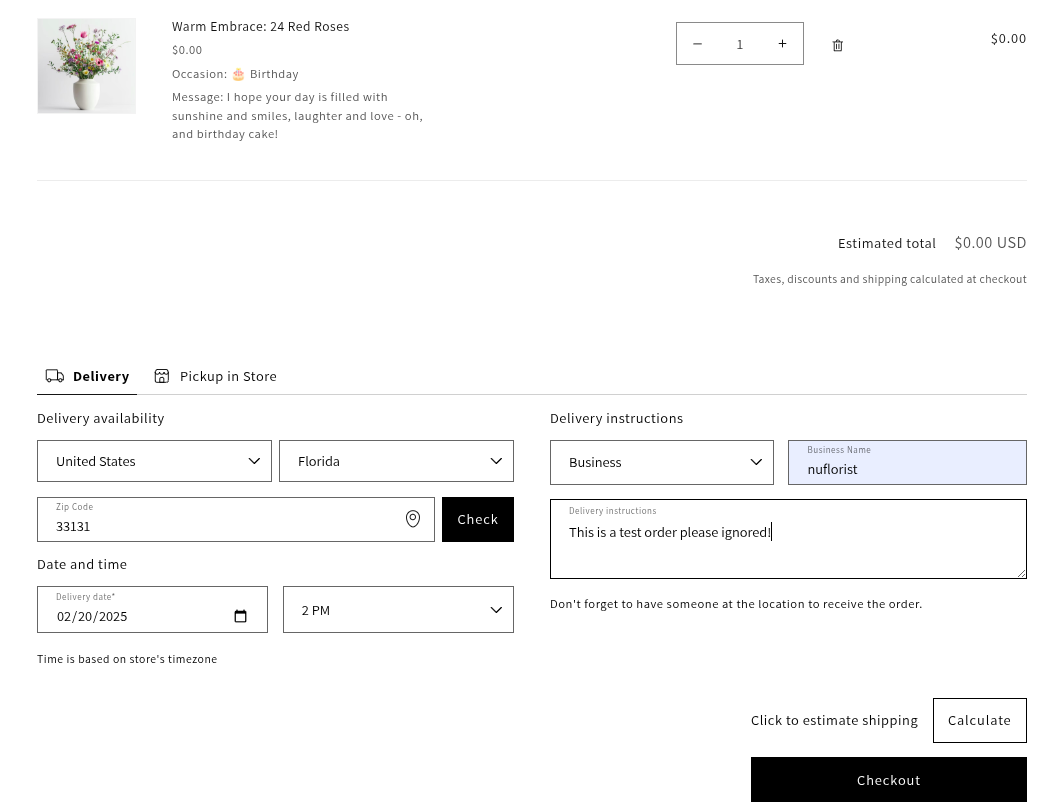
Once we added the product to the cart, we will use our cart widget extension.
Let's select our delivery options:
* Country and Florida (This depends on our store location)
* Zip Code to where we want our delivery
* Delivery Time and Delivery Date
* Delivery Instructions such as Business, Business Name and special Instructions
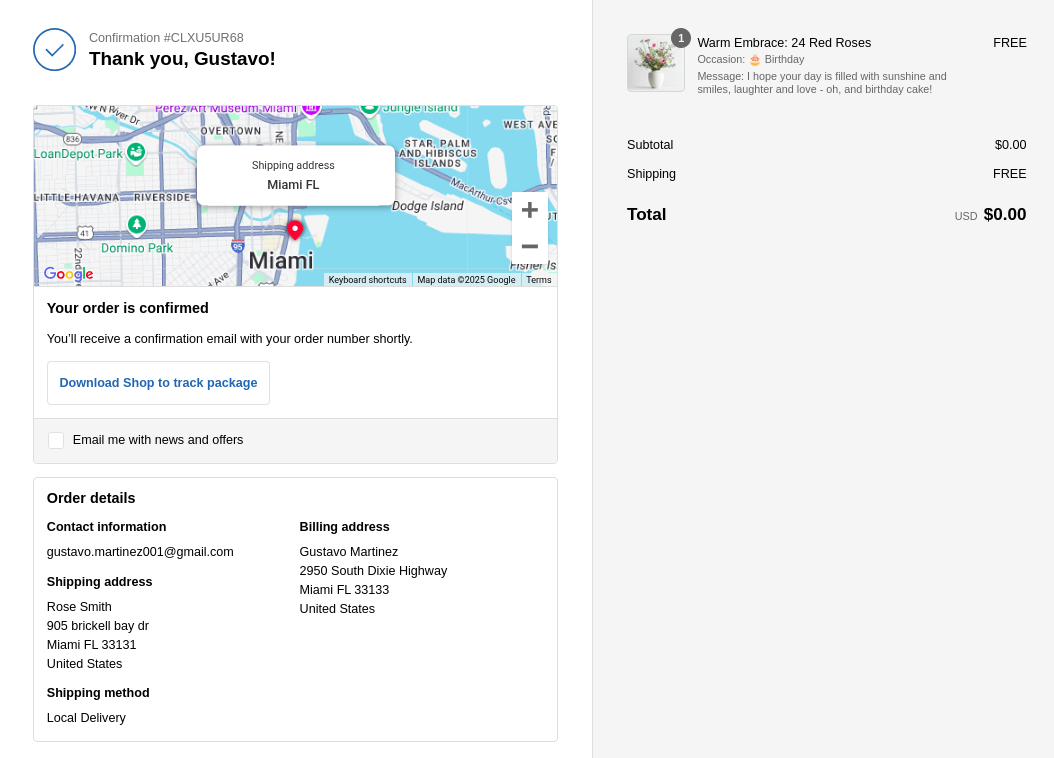
Perfect! Now we have successfully place the order. Let's verify our order information below
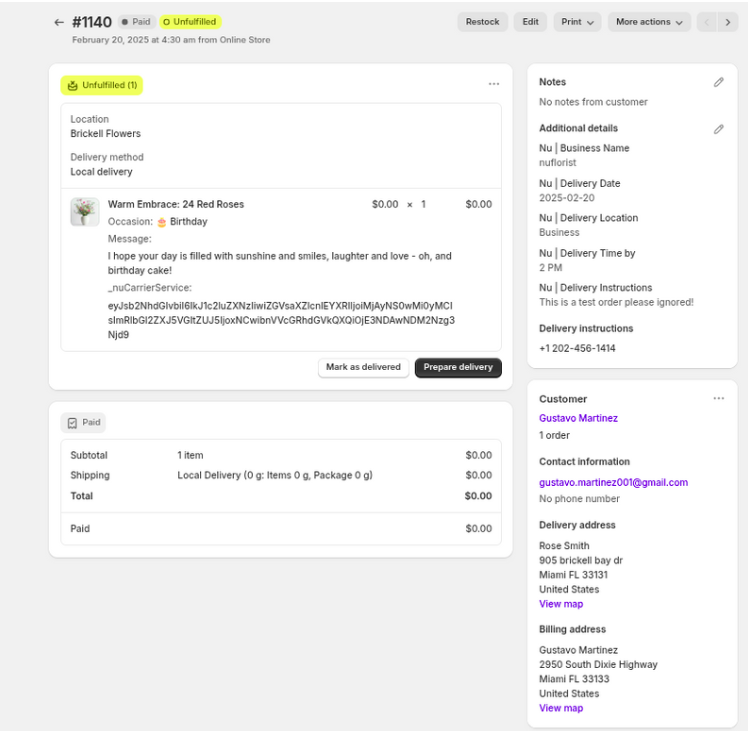
If we go to our admin panel -> orders
We can find our order and all data that will be transfer to MAS.
Let's verify it before jumping to the POS.
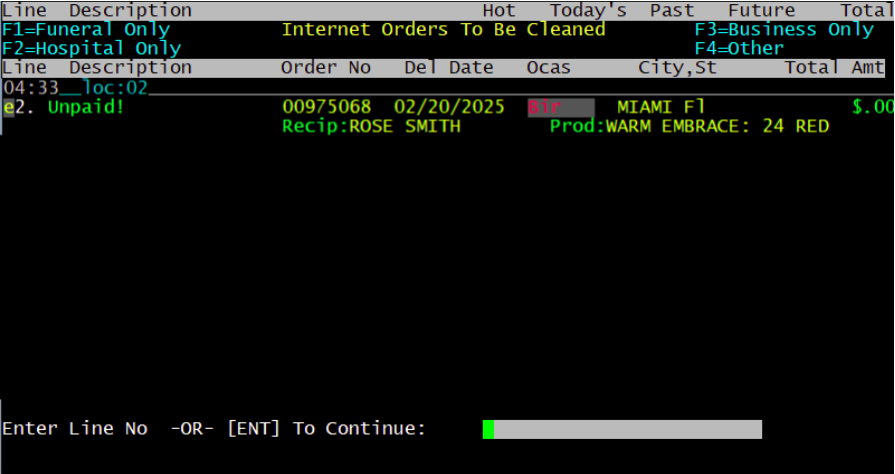
This is the main dashboard where all MAS orders can be found and our order can be seen below!
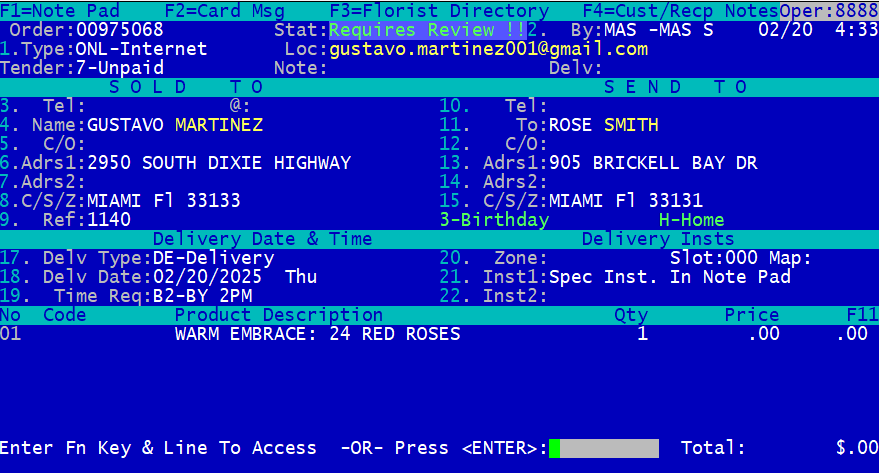
If we navigate to our order we will see all data that was sent from Shopify such as:
* Buyer information would be Gustavo Martinez which in Shopify is our billing Information.
* Recipient information is Rose Smith which in Shopify is our Delivery Information.
* We can see our order number from Shopify at row 9: Ref 1140.
* Rows 18 and 19 contains our delivery date and time we choose from our cart widget extension.
* We have other data such as the product name, quantity, and price.
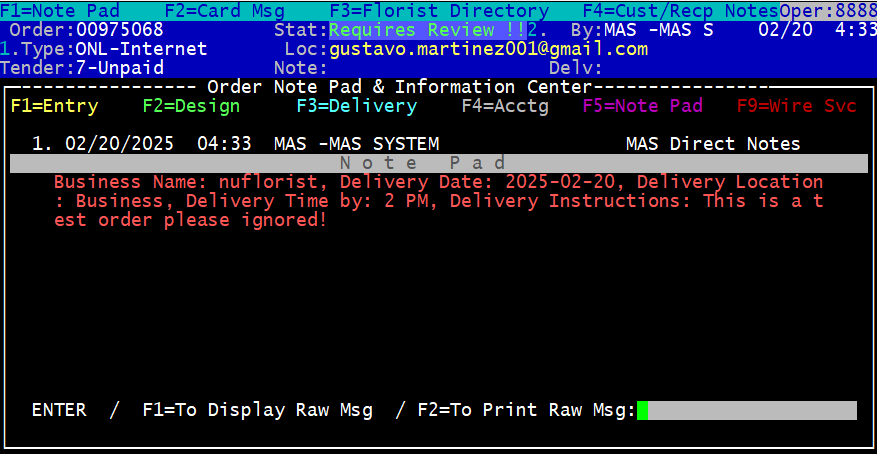
* Row 21 contains our delivery Instructions from the cart widget (Press F1 in MAS)
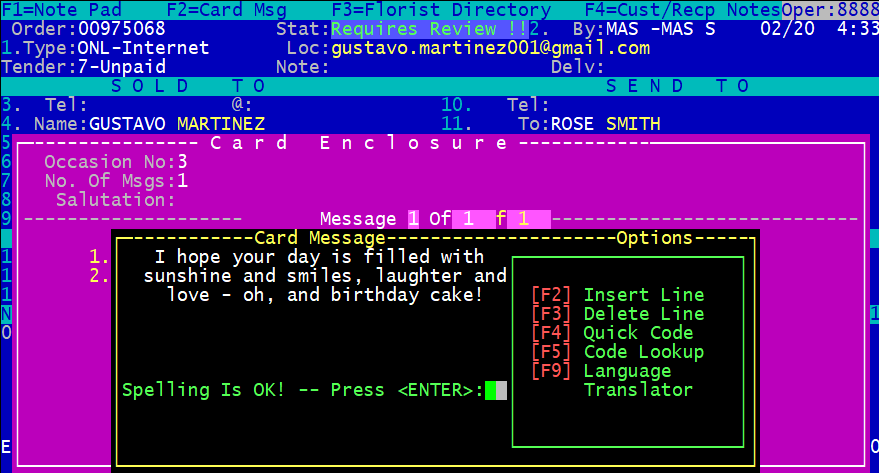
* Press F2 to see the Message we chose from the product widget extension
This is our Special Message from the product widget extension (After F2 in MAS)
This are our delivery Instructions from the cart widget (After F1 in MAS)