> For the complete documentation index, see [llms.txt](https://nuflorist.gitbook.io/nuflorist/llms.txt). Markdown versions of documentation pages are available by appending `.md` to page URLs; this page is available as [Markdown](https://nuflorist.gitbook.io/nuflorist/product-widget/customizing-the-widget.md).
# Customizing the widget
Customizing the appearance of the widget in NuFlorist is essential for it to follow your Shopify store’s design. Here’s a detailed guide on how to customize the widget:
## Customize the widget
### Product
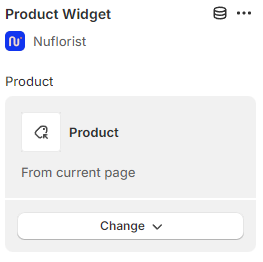
Dynamically link a product to the widget, this is a smart option, so you can reference the current product in the page effortlessly (automatic default) and more. [Learn more.](/nuflorist/product-widget/customizing-the-widget/product-option.md)
### Variant and Quantity Picker
{% hint style="warning" %}
NuFlorist' s **Product Widget** is only compatible with its own **Variant Picker**, **Quantity Picker** (optional) and **Buy button** (required). In order to use the widget, you must remove your theme's equivalents.
{% endhint %}
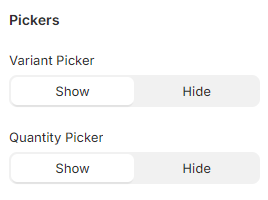
These options are turned on by default so your customers can use the app properly. Your variant and quantity pickers won't work with the app, you'll need to turn them off.
### Typography
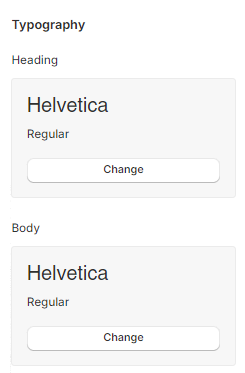
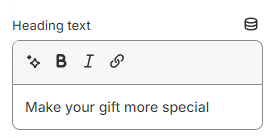
Adjust the typography to match your brand identity. You can choose specific fonts for headings and body. You can also customize a heading to appear at the top of your widget.
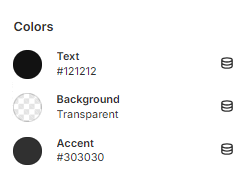
### Colors
You have 4 options for colors, and each of them will change a specific element in your widget.
* Text: change color for headings and body text
* Background: changes the background color for the entire section
* Buttons: change the background color for buttons
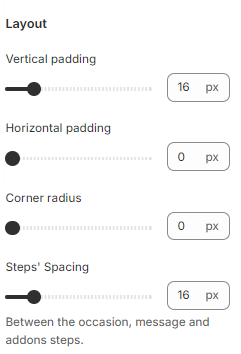
### Layout
Helps you match the layout of the widget to follow the aesthetics of your theme.
* Space between sections: change the space between the steps.
* Vertical padding: add equal spacing for top and bottom between the border and the content inside the section
* Horizontal padding: adds horizontal spaces for left and right between the border and the content inside the section
* Corner radius: changes the radius of the section. It’s only possible to see the difference if the section color is different from the page background.
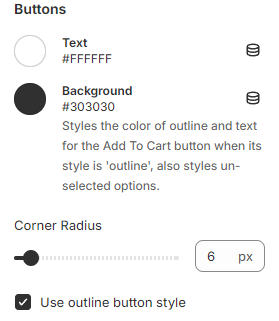
### Buttons
Color and shape options that affect the **Buy Button** (Add to cart) and if enabled, the **Variant Pickers** pills.
## Save Changes
After customizing the widget make sure to save your changes and publish the updates to your store.
## Test the widget
Preview the product page to make sure that the widget is functioning as expected.